About
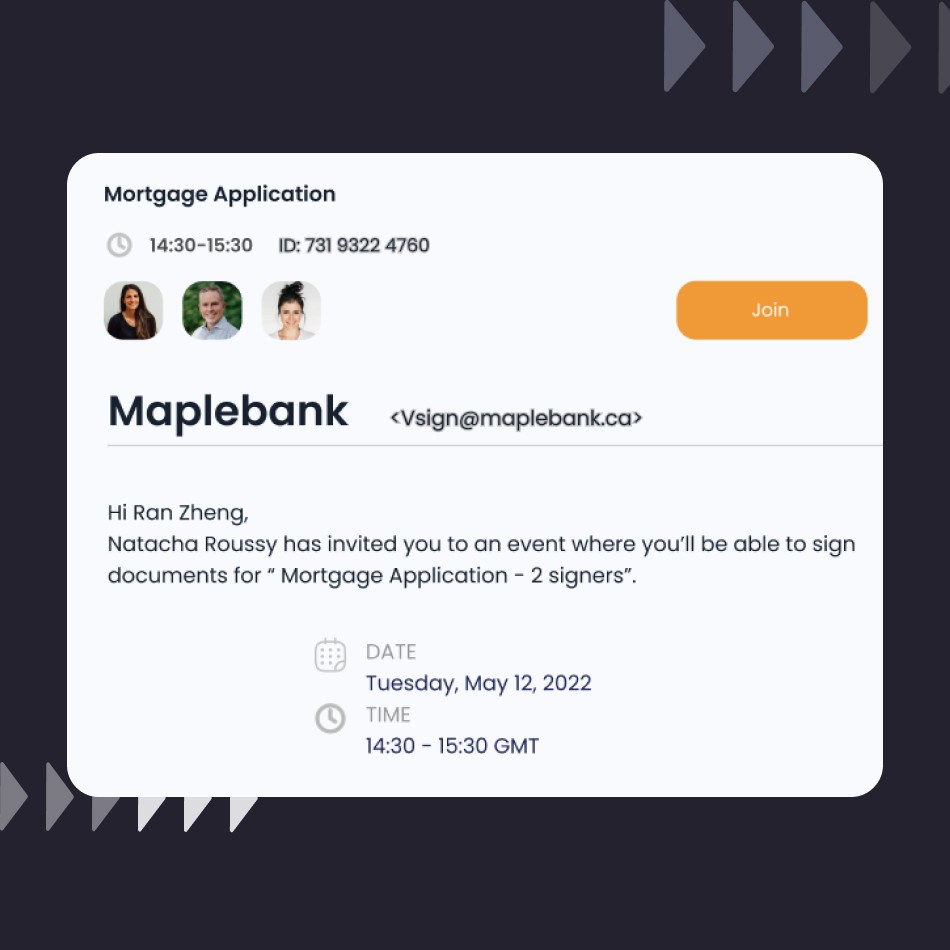
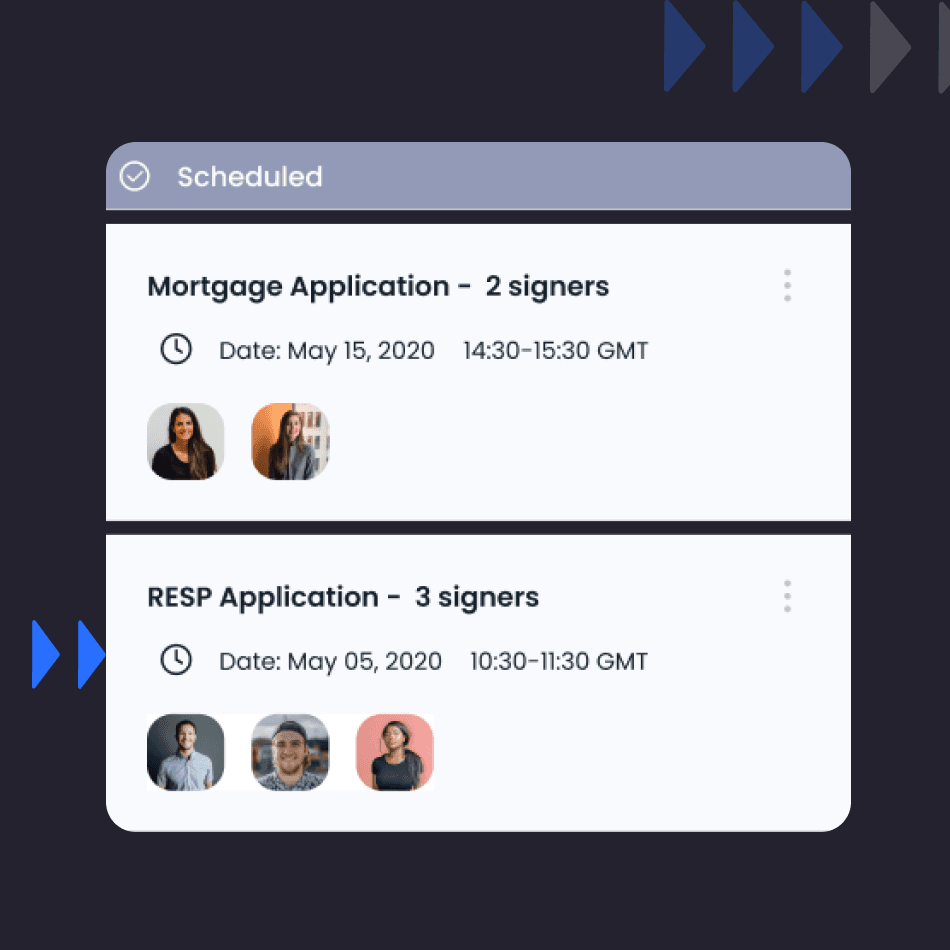
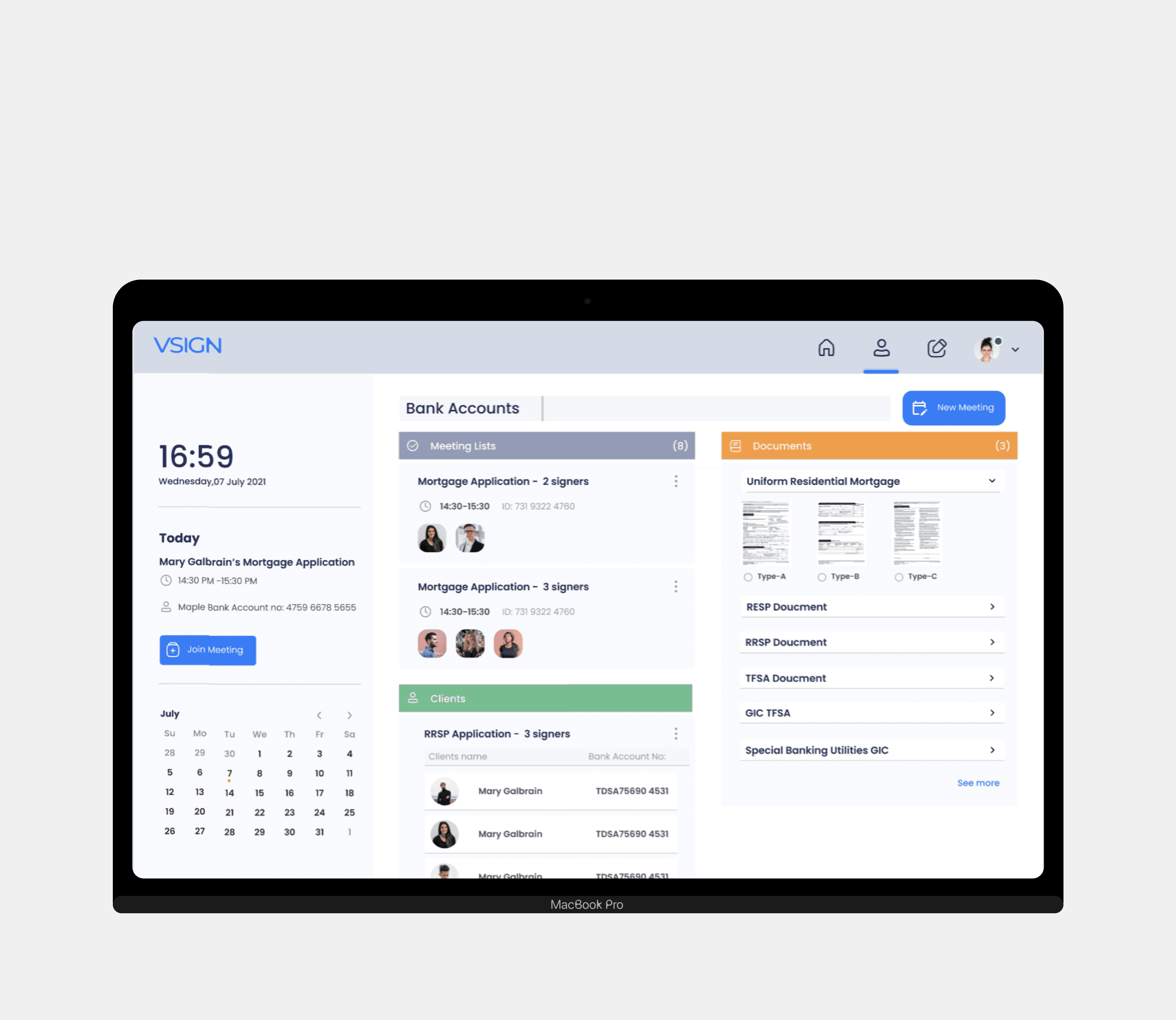
Vsign is a web-enabled video conferencing platform that includes a built-in e-signature feature for financial agreements. The main challenge was to reduce the need for in-person visits to banks due to security concerns. The solution was to implement an integrated dashboard for bank advisors, which allows for more efficient management of financial files and the creation of meetings.
Research, discover
& 3-Phase UX Design Process
The focus of this project was on research, building an intuitive design, and running usability tests to refine the product. The process followed these key stages:
01 Step 1—Market Research
We analyzed 4 leading platforms: DocuSign, Adobe Sign, HelloSign, and OneSpan Sign. This allowed us to evaluate their strengths and weaknesses, identifying opportunities for Vsign to provide superior customization, security, and ease of use.
02 Step 2— User Research
I interviewed bank advisors and clients to identify their needs and challenges. By developing user personas, I ensured that our solution addressed key pain points, including security concerns for advisors and a streamlined process for clients.
03 Step 3—Define & Ideate
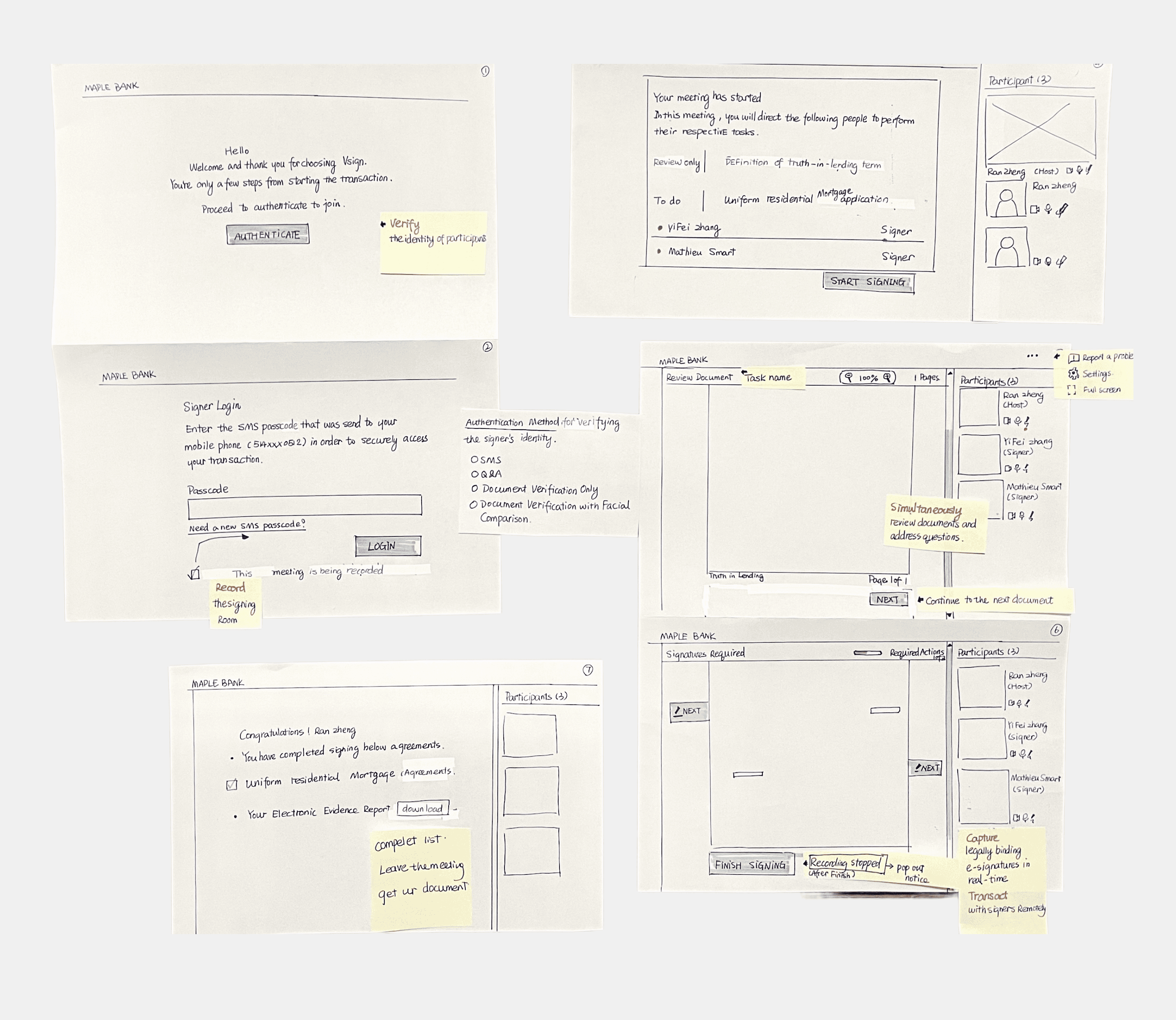
Using the insights from research, I defined clear user flows and sketched initial wireframes. The design ideation focused on simplifying complex workflows while ensuring the platform remained secure and user-friendly.
Challenges
Balancing strong security for sensitive documents with smooth integration into bank systems required robust encryption, compliance measures, and close technical collaboration.
Priority Levels
Bank Advior & Regular user
I outline the priority levels, corresponding user goals, features, and metrics for a comprehensive understanding of the design and development focus.
01 User Goals
For Bank Advisors and Regular Users, the platform needed to focus on the following goals: ● Efficient Document Management ● Secure Remote Signing ● Quick & Easy Contract Signing ● Provide Electronic Evidence
02 Features
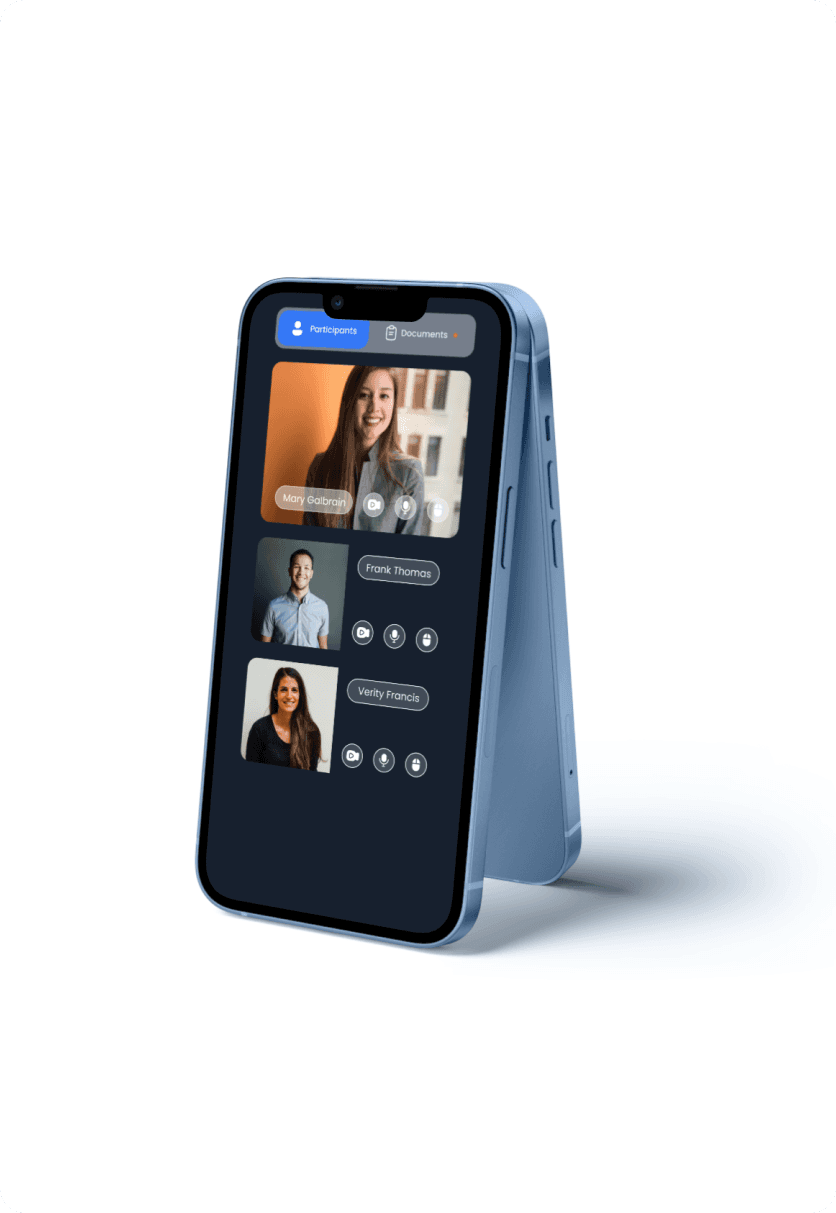
The key features for both user groups included: ● Integrated Financial Dashboard (for advisors) ● Streamlined Document Signing Process ● Identity Verification ● Real-time Agreement Review ● Meeting Creation (for advisors) ● Electronic Evidence Capture (for regular users)
03 Metrics
To measure the success of these features for both user groups, we tracked: ● Time Spent on Document Management ● Successful Remote Signings ● Client Engagement Metrics ● Identity Verification Success Rate ● Fraud Prevention Rate ● Completion Time for Contracts
Building structure
Simplifying Bank Advisor and Client Interactions
Bank Advisors & Client Experience in Vsign
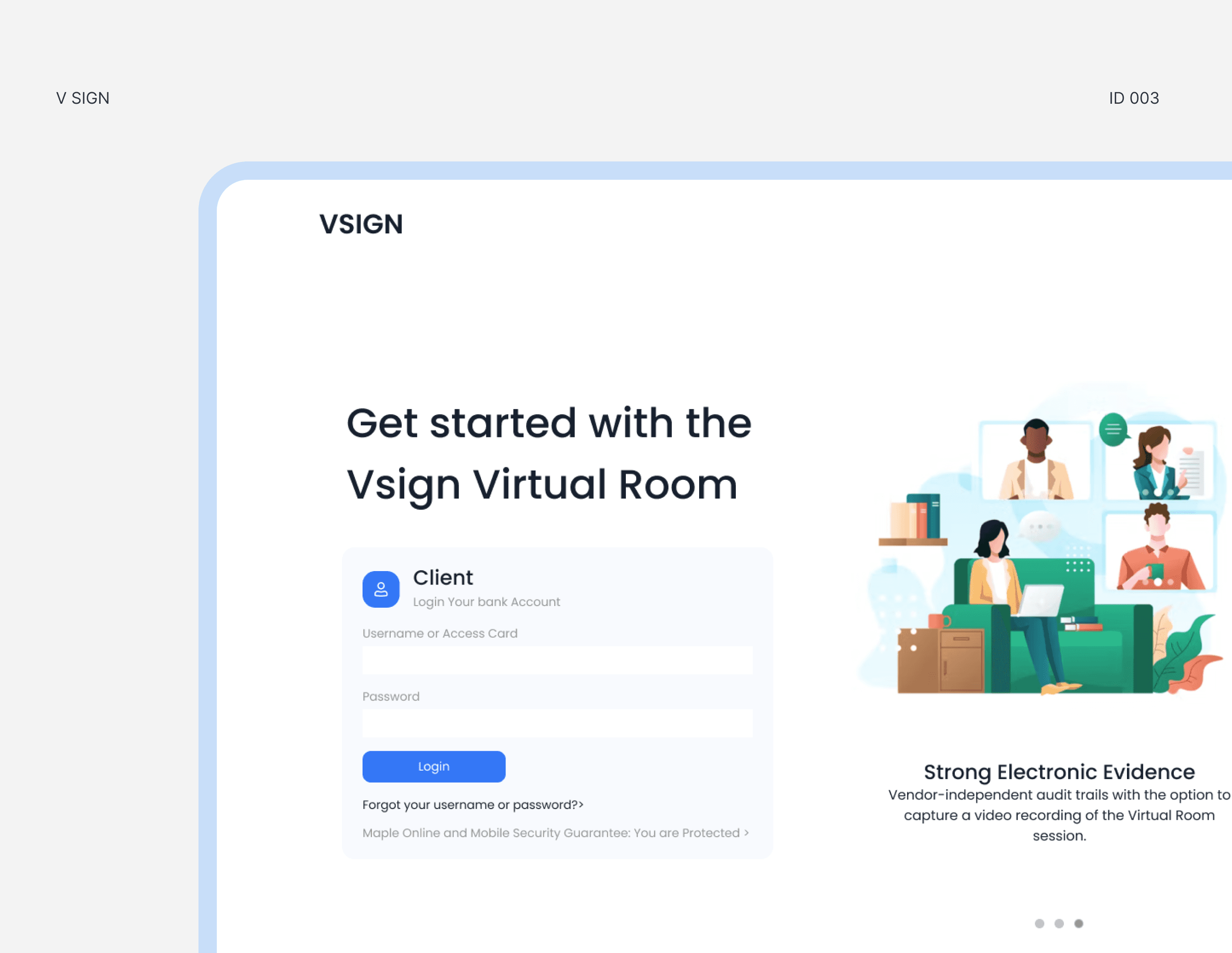
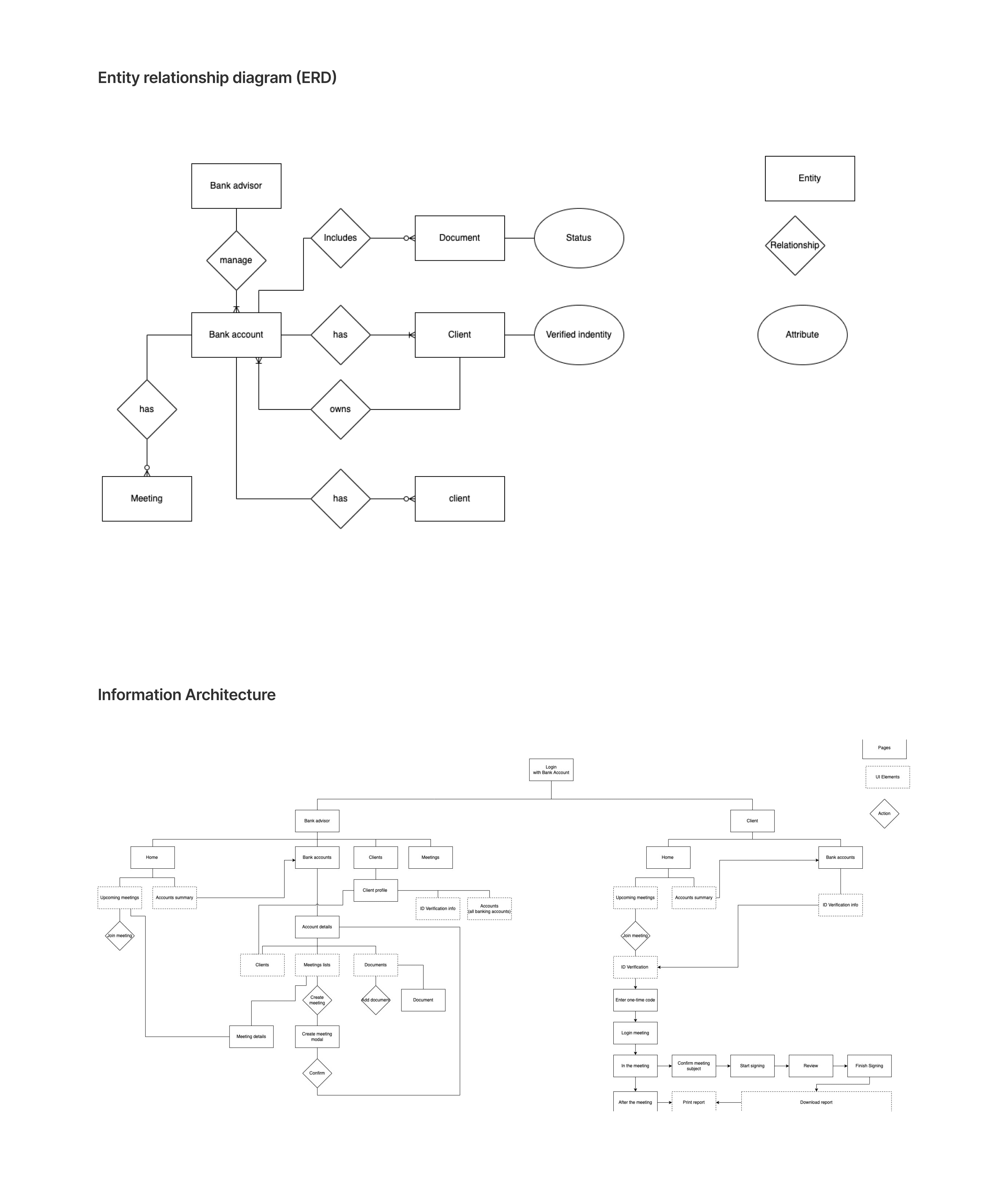
➡️ For Bank Advisors, Vsign includes login, a financial dashboard, and e-signature tools for scheduling meetings, sharing documents, and validating IDs. ➡️ For Clients, Vsign offers easy login, meeting access, e-signing, and document downloads, all designed for a smooth, efficient experience.
Challenge 01
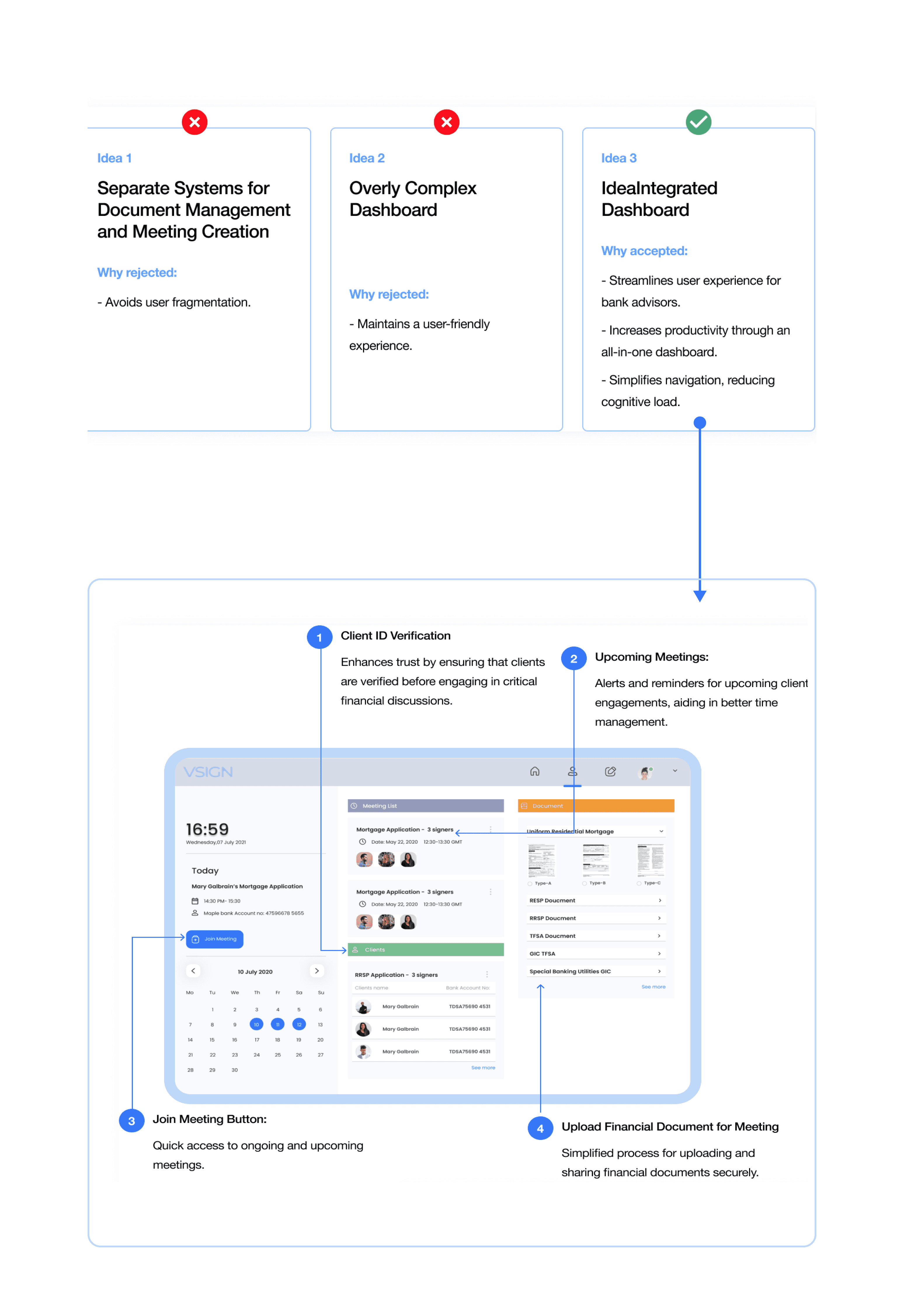
Integrated Financial Dashboard
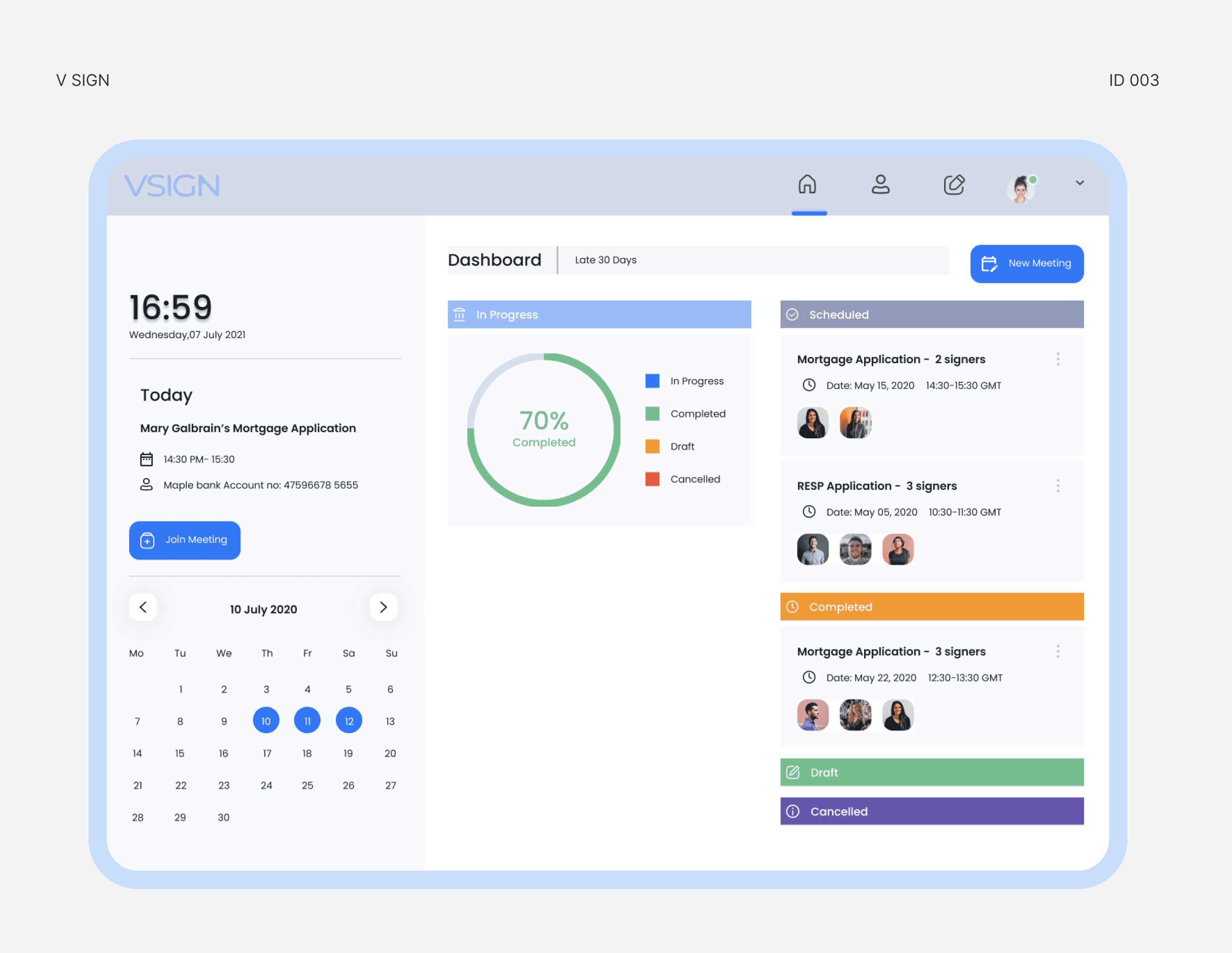
How Might We simplify the platform for bank advisors to handle financial files and create meetings effortlessly?
01 User Story: As a bank advisor, I need a centralized platform for streamlined financial file management and meeting creation. 02 Pain Points: ● Fragmented processes for document and meeting management. ● Overwhelmed advisors due to complex interfaces.
Challenge 02
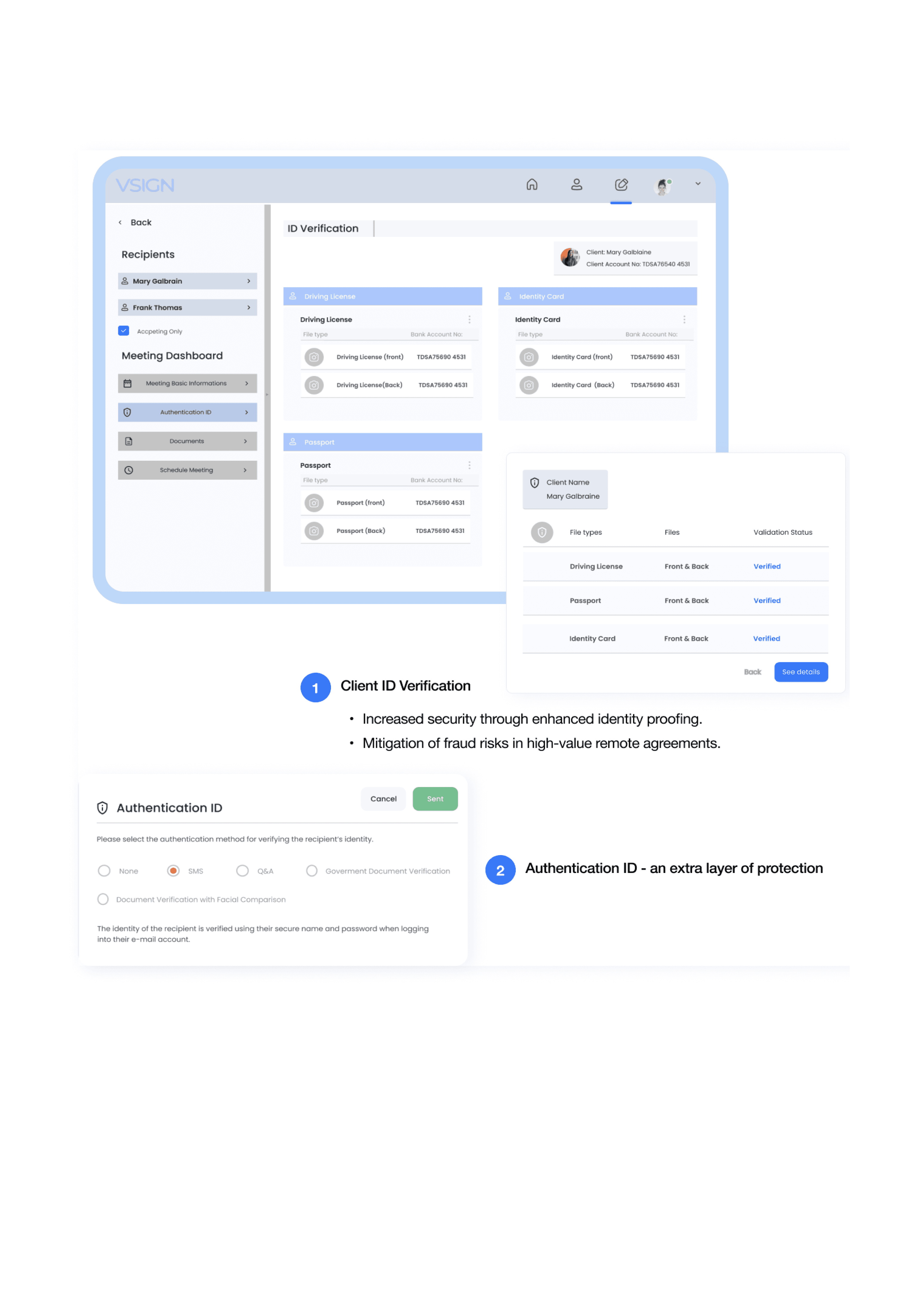
ID Verification
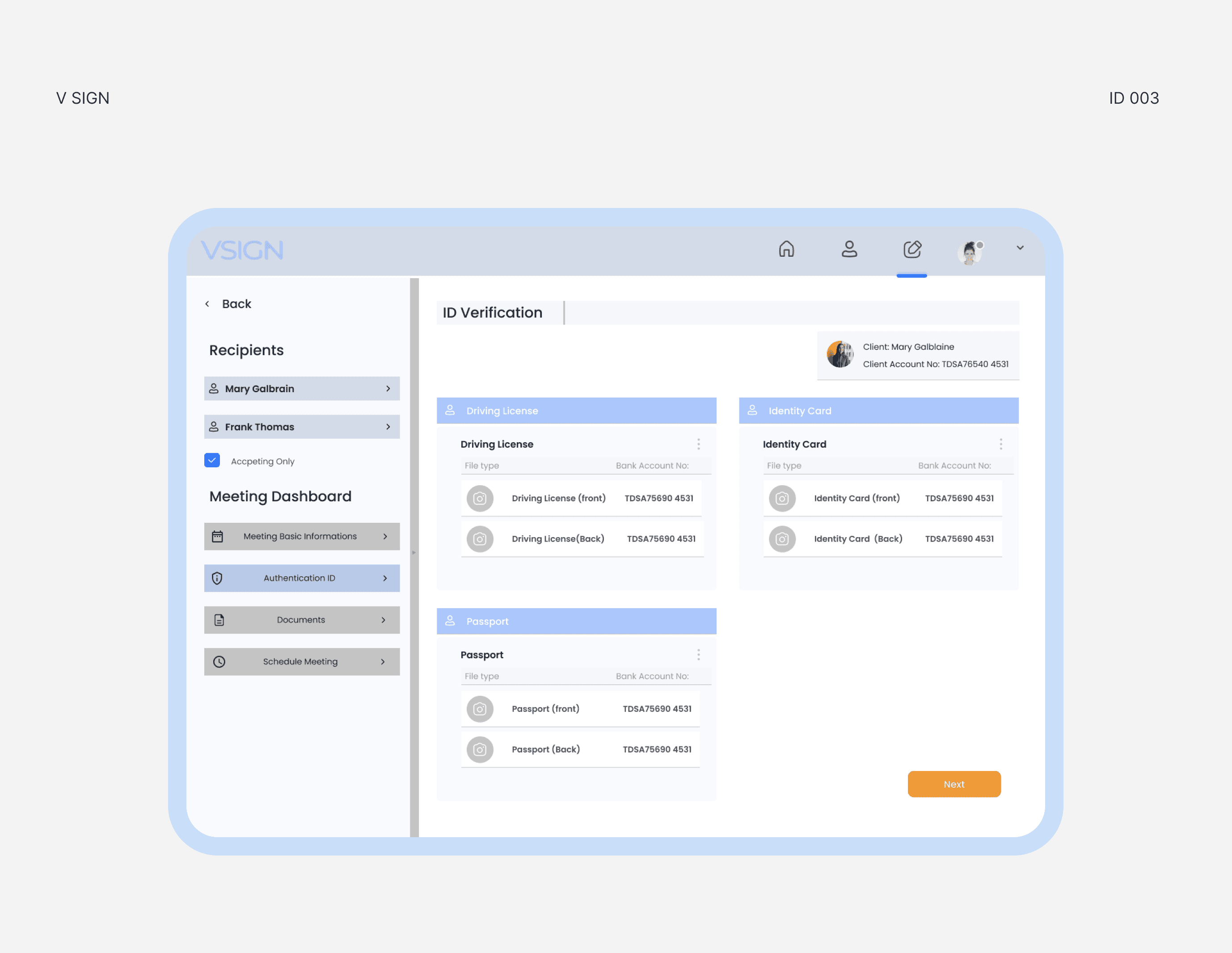
How Might We implement secure remote signing processes for high-value agreements, addressing identity-proofing concerns?
01 User Story: As a bank advisor, I want a secure platform for remote signing to instill confidence in clients. 02 Pain Points: ● Security concerns in remote signing. ● Lack of robust identity proofing leading to fraud risks.
Final designs and coded prototype
With that, here is the prototype hosted on netlify. We also did 8 usability tests with this prototype to determine the design's effectiveness